Troubleshooting
This page lists some common issues for FEP+ web services. For general troubleshooting of FEP+ jobs, see Troubleshooting Common Issues.
 Could not connect to server

This means Maestro could not connect to the server. First, check that the computer can connect to the internet. Then make sure the firewall settings are correct. The site’s firewall must be able to connect to gnet.schrodinger.com on port 443. In addition, the FEP+ Web Services team must have the list of external IP addresses that will access gnet.schrodinger.com. This should be confirmed prior to setting up FEP+ Web Services.
Server temporarily unavailable
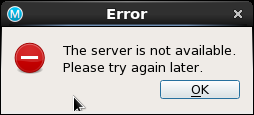
Maestro can connect to the server, but it is not available. This happens when the server is being updated. (usually Tuesday Morning US East 8am-1pm)
 Too many atoms in the system. Upper limit of 40000 atoms.
Jobs submitted using FEP+ Web Services have an upper limit of 40,000 atoms on the unsolvated system. This results in a limit of approximately 500,000 atoms for the fully solvated system.
Unable to activate credits: Insufficient credits
This means the user does not have enough credits to run on FEP+ Web Services. The user must purchase the additionally needed credits.
Cannot remove node(s) from the FEP+ Web Services graph
You may get this error when you are trying to expand a graph.
This means the fmp file used is missing ligands that are present on the server. Download the fmp file from the server and try expanding the graph again.
Cannot remove edge(s) from the FEP+ Web Services graph
You may get this error when you are trying to expand a graph.
This means the fmp file used is missing edges that are present on the server. Download the fmp file from the server and try expanding the graph again.
Cannot add completed edge(s) to FEP+ Web Services graph
You may get this error when you are trying to expand a graph.
This means the fmp file contains completed edges not run on FEP+ Web Services. Download the fmp file from the server and try expanding the graph again. You can merge the graphs once the job completes for analysis.
Invalid ligand(s) detected
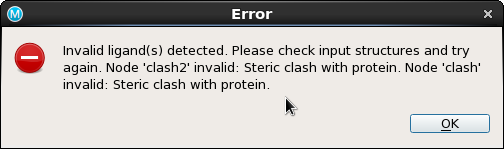
This error indicates an error in the input structure. In the pictured example, there is a steric clash with the protein. Other possible errors are ‘Structure not unique’, ‘Incorrect Lewis structure’, ‘Hydrogens missing’. Note that missing torsion parameters are NOT considered an error, so the calculation will run even with missing parameters. The same information is available in the Overview tab in the Quality column. These errors are likely to cause the simulation to crash, so FEP+ Web Services refuses to upload any ligands until the issue is fixed. No credits are consumed as a result of this attempted upload.