GlideMap Panel (Beta)
- Overview
- Using
- Features
- Additional Resources
Using the GlideMap Panel
Generate new potential poses for the ligand using Glide guided by the experimental density, or alternatively minimize and score a ligand pose within the pocket.
To open this panel, Clickclick the Tasks button and browse to Protein Preparation and Refinement → Density Guided Ligand DockingClickclick the Tasks button and browse to Other Applications → GlideXtal (Beta)Clickclick the Tasks button and browse to Other Applications → GlideEM (Beta).
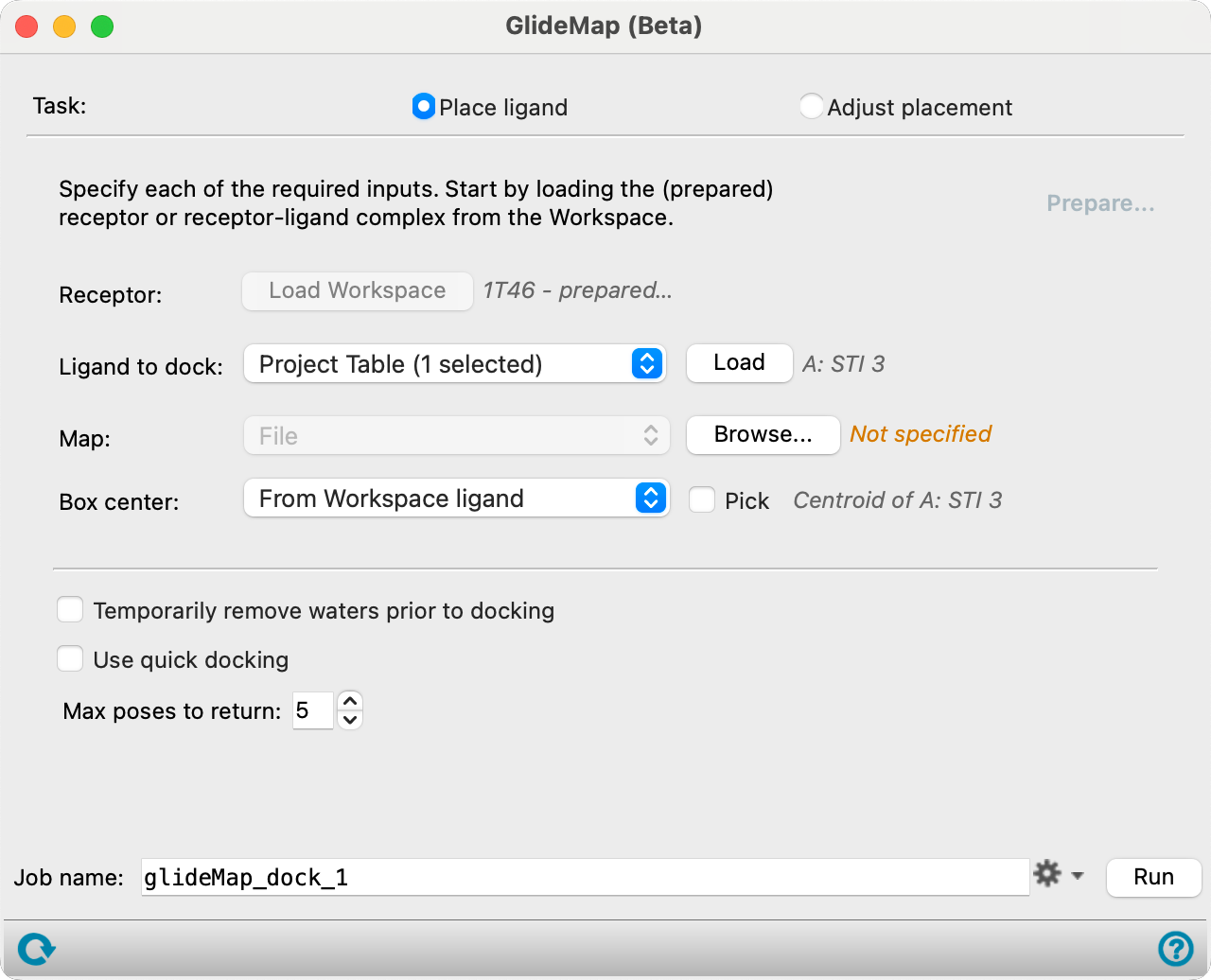
GlideMap Panel Features
- Task option
- Prepare link
- Inputs
- Outputs
- Task option
-
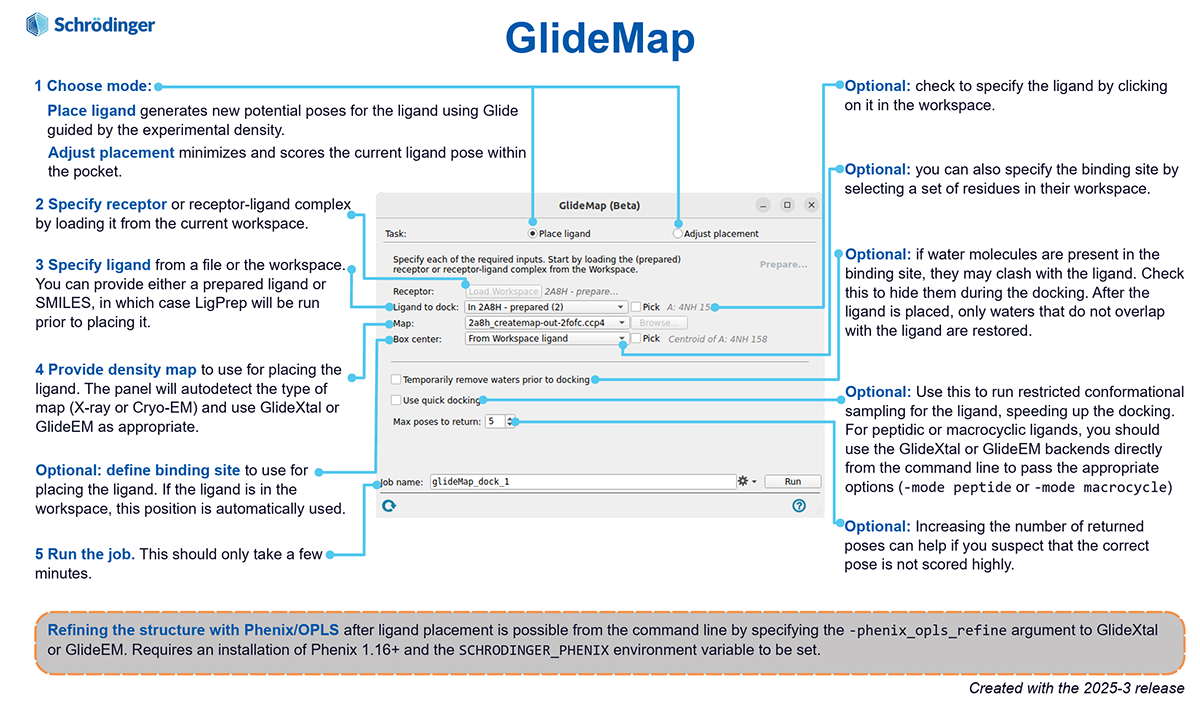
Select a mode for the task to be performed:
- Place ligand—Generates new potential poses for the ligand using Glide guided by the experimental density.
- Adjust placement—Minimizes and scores the current ligand pose within the pocket.
- Prepare link
-
Click this link to open the Protein Preparation Workflow Panel to prepare the receptor structure. Only available when the loaded receptor has not been prepared.
- Inputs section
-
- Receptor/Complex option
-
Specify the receptor or receptor-ligand complex by loading it from the current Workspace.
- Ligand to dock option menu
-
Specify the ligand from a file, Project Table, or from the Workspace. You can provide either a prepared ligand or SMILES, in which case LigPrep is run prior to placing it. You can optionally select the Pick option to specify the ligand by selecting it in the Workspace.
- Map option menu
-
Provide a density map to use for placing the ligand. The panel automatically detects the type of map (X-ray or Cryo-EM) and uses GlideXtal or GlideEM as appropriate.
- Box center option menu
-
Define the binding site to use for placing the ligand. If the ligand is in the Workspace, this position is automatically used.
- Outputs section
-
- Temporarily remove waters prior to docking option
-
Select this option to hide water molecules in the binding site during docking. After the ligand is placed, only waters that do not overlap with the ligand are restored.
- Use quick docking option
-
Select this option to run restricted conformational sampling for the ligand, speeding up the docking. For peptidic or macrocyclic ligands, use the GlideXtal or GlideEM backends directly from the command line to pass the appropriate options (-mode peptide or -mode macrocycle). Not available when Adjust placement is selected as the task.
- Max poses to return text box
-
Specify the number of poses to return. Increasing the number of returned poses can help if the correct pose is not scored highly. The default is 5.