Partial Concentration Calculation Panel
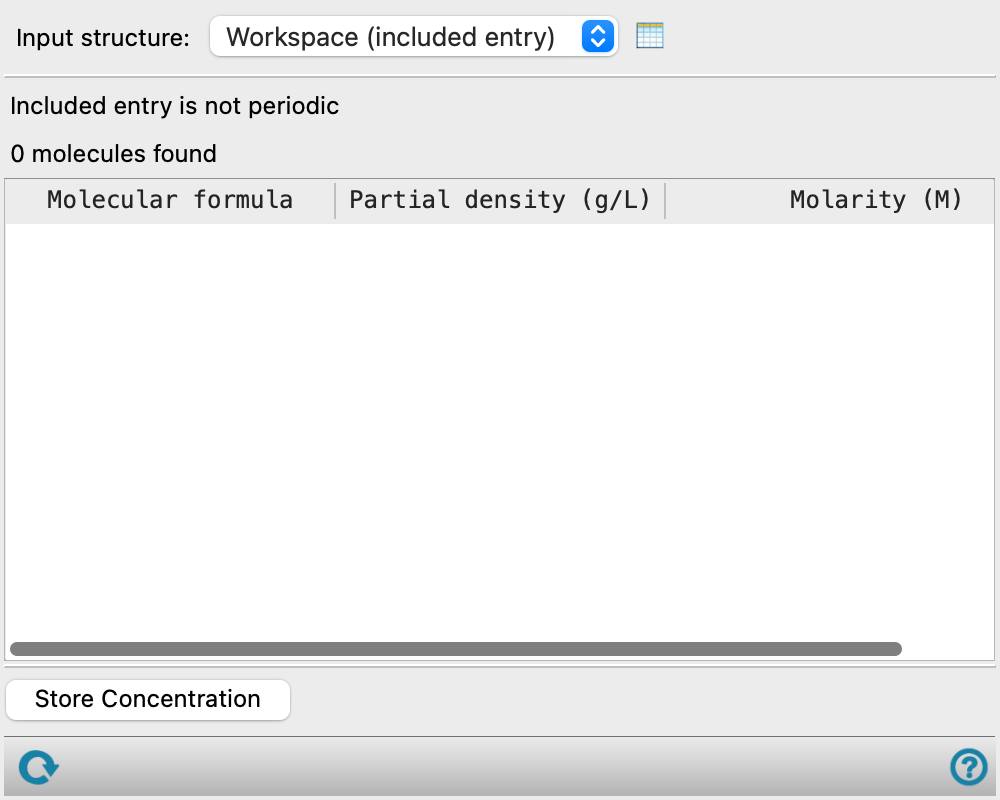
Calculate the concentration of the various molecules in a periodic structure. The volume used is that of the periodic box.
To open this panel: click the Tasks button and browse to Materials → Tools → Partial Concentration Calculation.
The following licenses are required to use this panel: MS Maestro
- Features
Partial Concentration Calculation Panel Features
- Input structure option menu
-
Choose the structure source for the concentration calculation.
- Workspace (included entry)—Use the entry that is currently included in the Workspace. Only one entry must be included in the Workspace.
- Workspace (included entry)—Use the entry that is currently included in the Workspace. Only one entry must be included in the Workspace.
- Open Project Table button
-
Open the Project Table panel, so you can

- Information area
-
This area displays messages about the number of structures in the Workspace, which should be 1, and the number of molecules found. When there is only one periodic structure in the Workspace, the volume is reported (in nm3) instead of the number of structures.
- Concentration table
-
The molecules are listed in the table by molecular formula. The concentration is reported as the partial density in g/L and the molarity (mol dm-3). If you select a row, a representative molecule is highlighted in the Workspace.
- Store Concentration button
-
Store the concentration values as entry properties for the structure in the Workspace. The property names include the formula and the concentration type.
- Reset button
-
Reset the panel to its default settings.