Project Table — Gadgets Menu
The gadgets menu has various buttons for performing operations on the project and project entries. The buttons allow quick access to common tasks that can also be found on the menus.
To open the gadgets menu, click the button on the right end of the toolbar.
- Features
- Additional Resources
Features

|
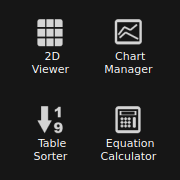
2D Viewer
Menu equivalent: Window → 2D Viewer. Display 2D structures of the selected entries in a grid. Opens the 2D Viewer Panel. |

|
Chart Manager
Menu equivalent: Window → Manage Charts. Manage the charts associated with the project. Opens the Manage Charts Panel. |

|
Table Sorter
Menu equivalent: Table → Sort or Rank. Sort or rank the entries in the Project Table. Opens the Sort or Rank Project Table Panel. |

|
Equation Calculator
Menu equivalent: Data → Add Property → From Equation. Perform calculations by combining property values to create a new property. Opens the Project Table Calculator Panel. |