Convergence Tests Viewer Panel
Display plots of the convergence of the periodic DFT energy with energy cutoff and number of k points.
To open this panel, click the Tasks button and browse to Materials → Quantum Mechanics → Quantum ESPRESSO → Convergence Tests Viewer
To open this panel from the entry group for the results of a job .
.
The following licenses are required to use this panel: MS Maestro, Quantum Espresso Interface
- Features
- Additional Resources
Convergence Tests Viewer Panel Features
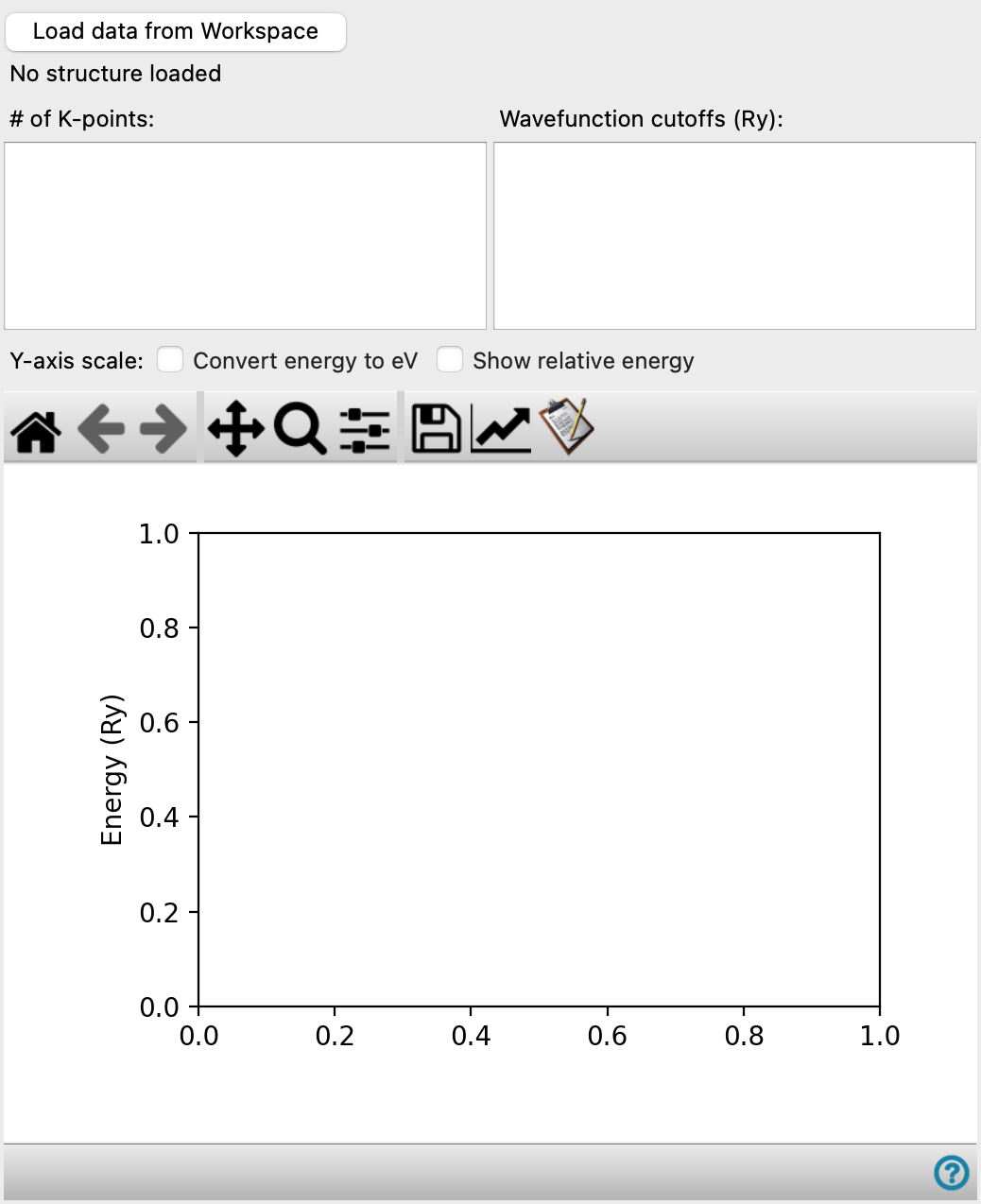
- Load Data from Workspace button
-
Click this button to load the convergence data from the entry in the Workspace. This entry must be part of an entry group that contains the results of all the convergence test calculations.
- # of K-points list
-
Lists the number of k-points for each increment and the k-point mesh (as 3 integers). You can select multiple rows to display a plot of the energy cutoff data for each row.
- Wavefunction cutoffs list
-
Lists the values of the energy cutoff for each increment. You can select multiple rows to display a plot of the k-point data for each row.
- Y-axis scale options
-
Set options for how the Y-axis data is displayed.
- Convert energy to eV—display the energies in electron volts. The default is rydbergs.
- Show relative energy—display energy values relative to the lowest energy value in the data set. The default is to show absolute energies.
- Plot toolbar
-
The toolbar has tools for manipulating the plot and for saving images. The buttons that are common to all plot toolbars are described in the Plot Toolbar topic.
- Plot area
-
This area displays a plot of the energy against one of the two variables. Selecting multiple values of the other variable displays multiple plots, and a legend is added.