Editing the Perturbation Map
Adding ligands to an existing map
Ligands can be added to an existing map. The ligands will use the same receptor structure that was used for the initial job.
Note
You must use the same version of the Schrodinger tools that was used to initially upload a map to add ligands to a map. That is, if you uploaded the map with release 2026-3, then you must use the same release when adding ligands to this map. Attempting to use a different version will result in an error message. This is done to preserve the consistency of the calculation and to prevent errors from arising due to changing the Schrodinger version.
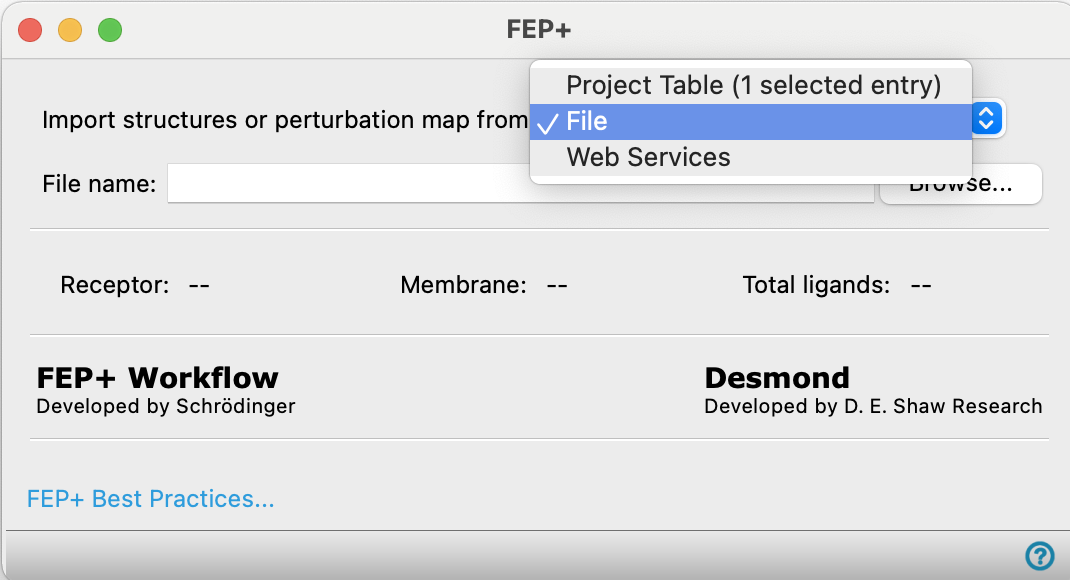
First, import a completed job from FEP+ Web Services. You can either import a file you downloaded from a finished FEP+ Web Services job or download directly using the Web Services option. Once the FEP+ Panel opens, navigate to the Map tab.
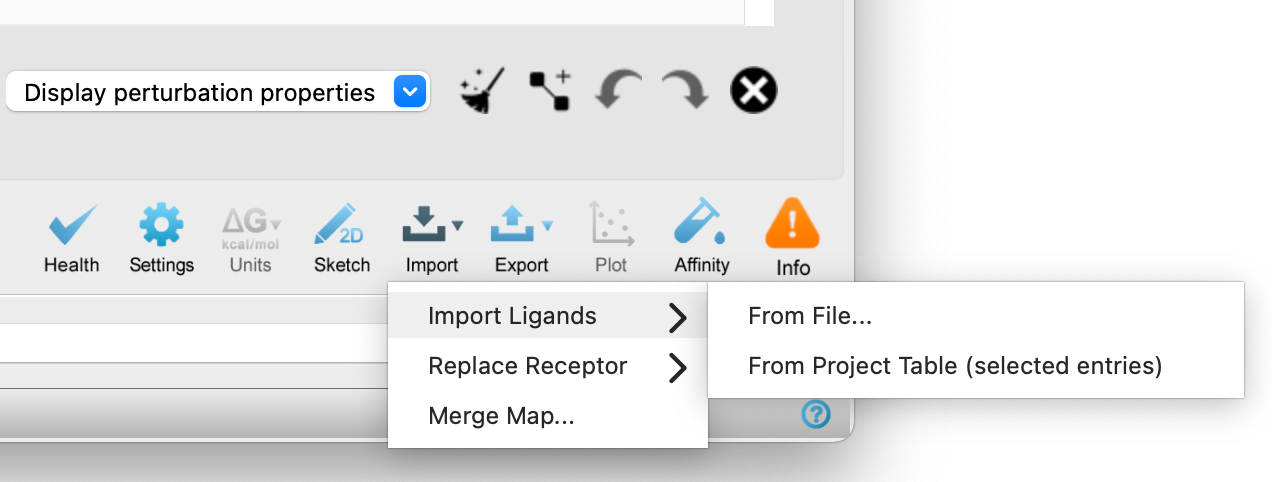
Click the Import button, then select Import Ligands to add new ligands to the map. You can add selected entries in the Workspace as new ligands or from a file.
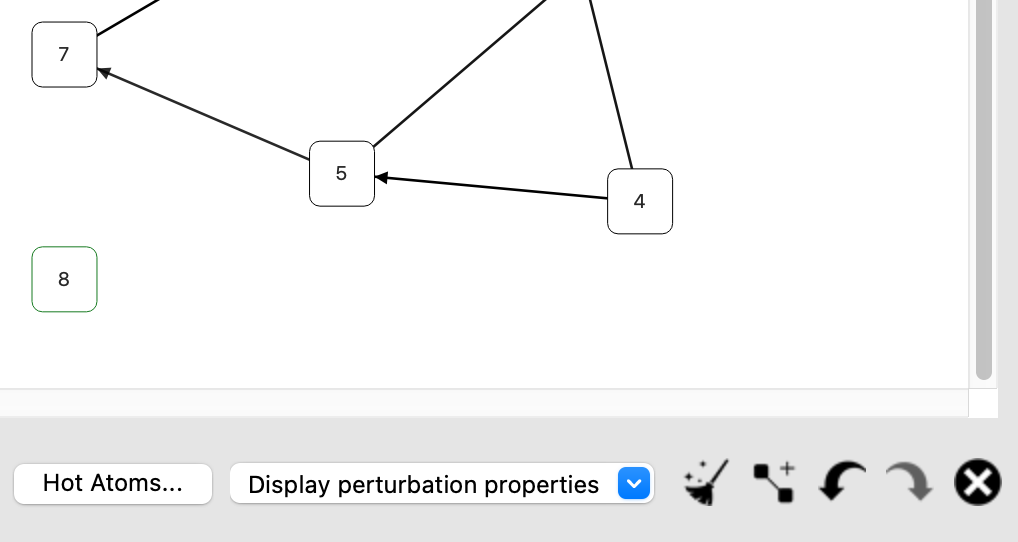
Imported ligands ("8") are added to the map with a green outline but has no connection to other ligands by default. You can add connections with the Add new connection button ( ).
).
After editing the connections in the map, click the Generate Map button to update the map.
Once the map has been generated, upload to FEP+ Web Services.