Import Martini Coarse-Grained Structures Panel
Import coarse-grained molecules from the installation that are set up for use with the Martini force field, as project entries. These entries can be used to build coarse-grained systems.
To open this panel: click the Tasks button and browse to Materials → Classical Mechanics → Coarse Grain Models → Import Coarse-Grained Structures.
The following licenses are required to use this panel: MS Maestro
- Using
- Features
- Additional Resources
Using the Import Martini Coarse-Grained Structures Panel
The purpose of this panel is to facilitate construction of coarse-grained systems that are to be simulated with the Martini force field. This force field has a number of molecules for which parameters are available. In this panel you can import these molecules from the distribution as project entries, and then use the project entries in the Disordered System Builder Panel to construct a coarse-grained system for simulation. See Constructing Disordered Systems for Coarse-Grained Modeling for more information.
Import Martini Coarse-Grained Structures Panel Features
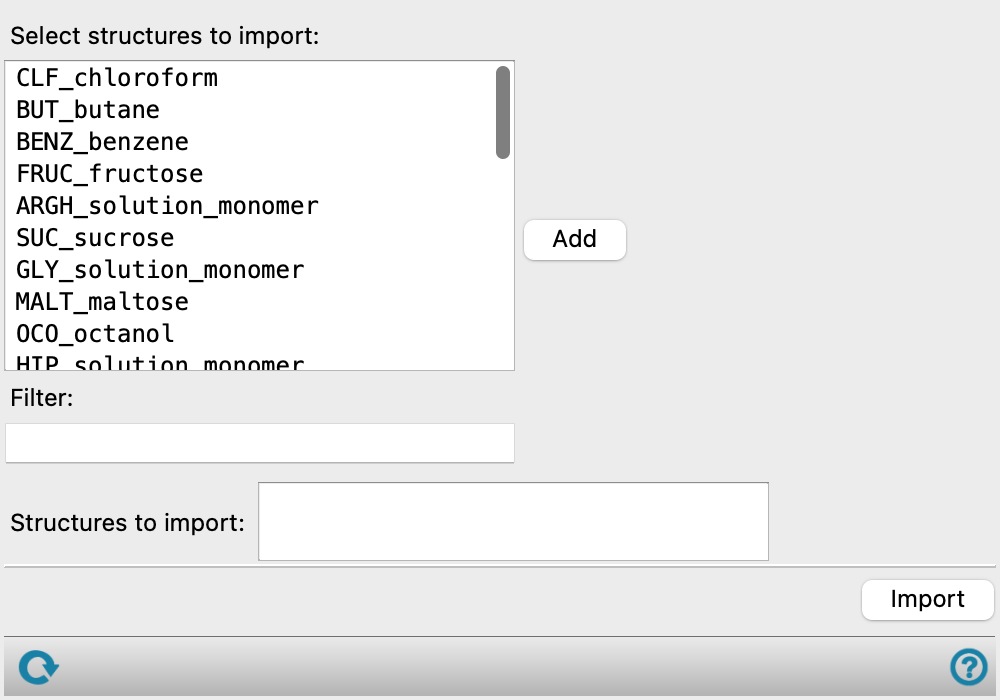
- Select structures to import list
-
Select the structures to import into Maestro as project entries. You can select multiple structures with the usual shift-click and control-click.
- Add button
-
Add the selected structures to the Structures to import text box.
- Filter text box
-
Filter the list of structures to import to those that match the text in this text box. The text can match anywhere in the structure name, and the list is filtered as you type.
- Structures to import text box
-
Noneditable list of structures to import when you click the Import button.
- Import button
-
Import the structures listed in the Structures to import text box into Maestro as project entries.
- Status bar
-
 to reset the panel to its default settings and clear any data from the panel.
If you can submit a job from the panel, the status bar displays information about the current job settings and status for the panel. The settings include the job name, task name and task settings (if any), number of subjobs (if any) and the host name and job incorporation setting. The job status can include messages about job start, job completion and incorporation.
The status bar also contains the Help button
 , which opens an option menu with choices to open the help topic for the panel (Documentation), launch Maestro Assistant, or if available, choose from an option menu of Tutorials. If the panel is used by one or more tutorials, hover over the Tutorials option to display a list of tutorials. Choosing a tutorial opens the tutorial topic.